
Birthday Invitation Card Maker
Gold Bridge StudioEvents
3.22.00 Reviews
- Version
- 1.0.35
- Installs
- 500.00K
- Age Rating
- Everyone
Screenshots
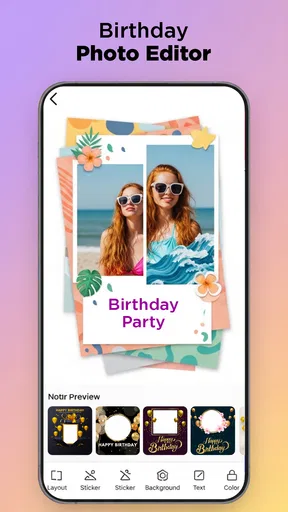
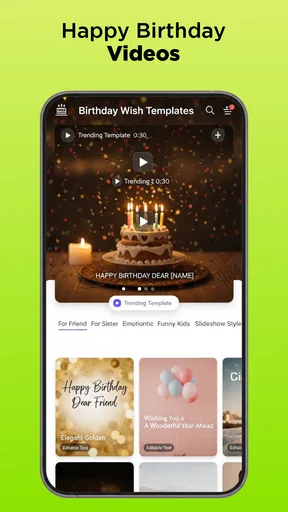
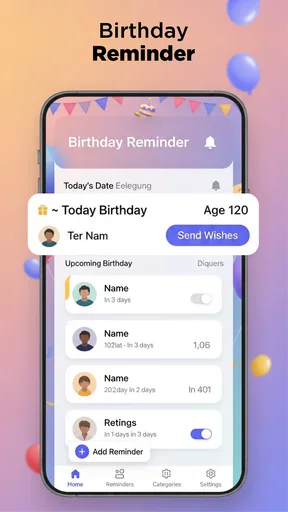
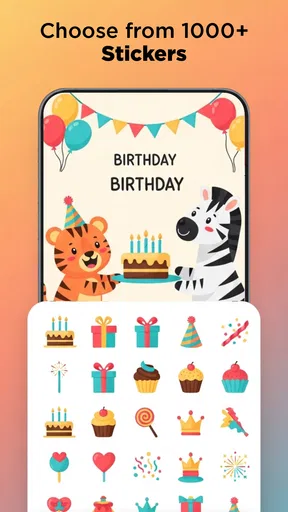
Our Review of Birthday Invitation Card Maker
 Analysis by Appyee
For a birthday invite, I care less about having professional design tools than being able to make something personal, readable, and ready to send without turning party planning into another project. Birthday Invitation Card Maker aims at that quick, creative middle ground. My overall take is that it’s most appealing when you want a card with a personal touch and are happy to work within an invitation-making app rather than a general graphic-design tool.
A focused tool for a small, practical job
This is a free events app from Gold Bridge Studio, with a general audience rating of Everyone. Its purpose is easy to understand: create a birthday invitation on your phone, then share or save it. That focus is useful when all you need is a birthday card rather than a broad design workspace full of tools you may never use.
The app has an average rating of 3.2 from around 320 ratings, alongside more than 100,000 installs. I’d treat those figures as context, not a guarantee that it will suit every phone or every design preference. The current version is 1.0.34, and it requires Android 7.0 or later. It is free to install, with optional in-app purchases priced at $8.99 to $10.99 per item, so I’d check what is included before building a design around anything that may be paid.
Where a little planning makes a better card
The most useful way to approach a birthday invite is to settle the essentials before decorating: who the party is for, when and where it is happening, and how guests should reply. A themed design can catch someone’s eye, but clear event details are what make it useful. I’d draft the wording first, then choose a visual style that leaves enough room for it. That small step helps avoid squeezing important information into an awkward corner after the card is already decorated.
Think about how guests will see the finished invitation, too. A card sent by text is often viewed on a small screen, where fine lettering and low-contrast colors can be hard to read. I’d favor a clear type style, strong contrast, and a simple layout over extra decorations. For a printed copy, I’d save the design and check its appearance before making multiple copies; a layout that looks lively on a phone does not automatically make a tidy paper invite.
Making an Invitation That Fits the Occasion
I’d use this section to think through how the invitation’s look should serve the party, rather than choosing a design just because it catches my eye. Matching the tone to the gathering—and leaving enough visual space for the practical details—can make a card feel personal while staying easy for guests to read.
Starting with a theme, then making it personal
First off, downloading the app was quick and easy. It’s available on both Android and iOS, so no worries there. Once you open it, you’re greeted with a clean and intuitive interface. No clutter, just straightforward options to get you started on your card-making journey. I immediately felt at ease, even if graphic design isn’t my forte.
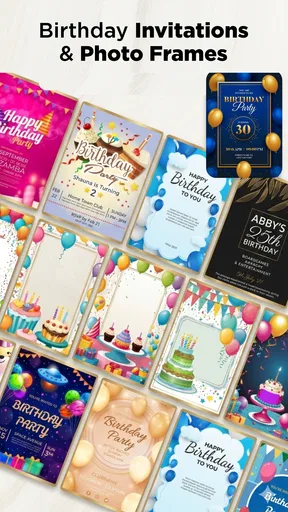
Diving into the design options, I was pleasantly surprised by the variety. The app offers a plethora of templates that cater to all kinds of birthday themes—whether you’re planning a kid’s party, an elegant dinner, or a surprise bash. You can easily scroll through and find a template that suits your vibe.
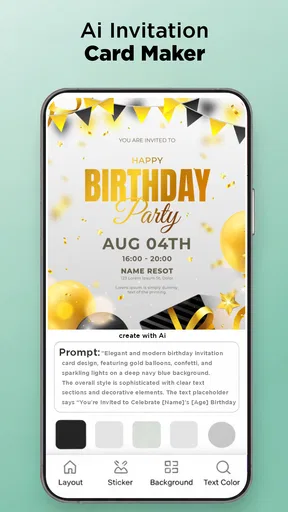
Now, here’s where it gets fun. You can customize every aspect of the card. From choosing the color palette to adjusting fonts and adding stickers, it’s all a breeze. The drag-and-drop functionality is smooth, making it super easy to position elements exactly where you want them.
Even with a flexible layout, I’d make one pass focused only on accuracy before sharing: check the date, start time, address, and any RSVP instruction. This is a practical safeguard when a design has several movable elements, because small text edits can change how the final card reads. I’d also keep the wording concise. A short message is easier to scan and leaves the theme and key details room to breathe.
Using photos without letting them take over
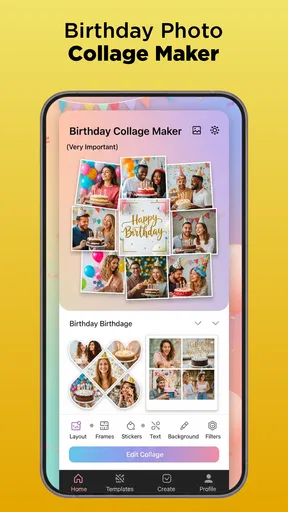
One of my favorite features is the ability to add personal photos. You can import images straight from your phone’s gallery and integrate them into your design seamlessly. This really adds a personal touch to the invitations and makes them feel unique.
A photo works best when it supports the occasion instead of competing with the invitation text. For a child’s party, for example, a favorite snapshot can make the card feel unmistakably theirs; for a more formal dinner, a restrained image or a template without a photo may feel more appropriate. I’d choose the picture before settling on the final layout, then make sure the event details remain easy to pick out.
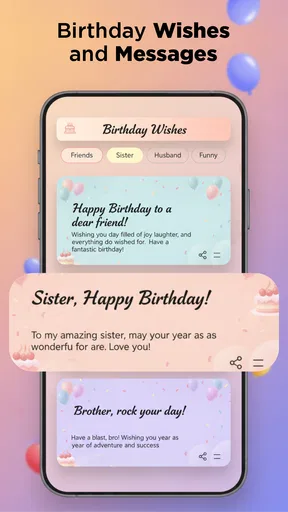
There’s also an option to add a personal message. The app provides a text editor where you can play around with different fonts and text sizes. I found it really handy to have a bunch of pre-written messages for those days when creativity isn’t flowing.
Sharing, printing, and keeping the process simple
After crafting the perfect invite, sending it out is a cinch. The app allows you to share your creations via social media, email, or even text message. You can also save your designs to your device for printing. This flexibility is a game-changer, especially if you’re juggling between digital and physical invites.
Moreover, the app includes options to send invites through popular messaging apps, which is super convenient if you want to reach your guests quickly. No more worrying about lost invites in the mail!
For a realistic last-minute scenario, imagine you are arranging a small birthday gathering after work and need to tell relatives the time and address that evening. I’d choose a template that already fits the mood, add the essential wording, and send the finished card through the channel the guests actually check. I would avoid spending the whole evening comparing designs: the value here is getting a personal invitation ready efficiently, not perfecting every decorative detail.
It is also worth thinking about the guest list before choosing how to share. If everyone is comfortable receiving a digital invite, sending the same saved design through a messaging app is straightforward. If some guests prefer paper, saving a copy for printing gives you another route. For a large or formal event where you need RSVP tracking, a dedicated invitation service may be more appropriate; a card maker helps with the design, but it should not be mistaken for a full guest-management system.
What to expect from the experience
Throughout my time using the Birthday Invitation Card Maker, I found the user experience to be quite delightful. The app runs smoothly, with no noticeable lags or crashes. It’s clear that a lot of thought went into making the app user-friendly and efficient.
One thing I particularly appreciated was the helpful tips and guides provided within the app. If you run into any trouble, there’s a support section that guides you through common issues and solutions.
Like any template-led design process, the main trade-off is convenience versus complete control. A ready-made starting point can save time, but it may not match an unusual party theme or a very precise visual idea. If you need to build a complex layout from scratch, coordinate several kinds of event material, or fine-tune every design detail, a general-purpose design app is likely a better fit. For a simple birthday card, though, the narrower focus can make the task feel less daunting.
I’d also make a test version before sending an invitation to a whole group. Check that the text is legible at phone size and that the picture, if you use one, does not make the important information difficult to see. This is a low-effort way to catch a layout issue before guests receive it, and it helps you decide whether the design should be shared digitally or saved for printing.
Who is likely to enjoy it
I’d recommend it most to someone who wants a birthday invitation that feels more personal than a plain text message but does not want to learn a complicated design program. It also makes sense for a parent preparing a child’s party card, a friend organizing a casual surprise, or anyone who prefers to start from a themed template and adjust the details. The combination of photos, text styling, and sharing options supports that kind of quick, personal job.
I’d skip it if you need advanced print-production controls, highly precise custom illustration, or built-in tools for organizing replies and managing a guest list. In those cases, a desktop design program, a broader mobile editor, or a dedicated event-planning service may handle the whole task better. The right choice depends on whether your priority is making the card itself or managing everything around the event.
One question worth answering before you start is whether the design you like is included or tied to an optional purchase. The app is free to install, but individual in-app items cost $8.99 to $10.99. I’d browse the available choices first and avoid committing to a particular look until I know it fits what I’m willing to spend. That keeps a quick invitation project from turning into an unexpected purchase decision.
My verdict on the finished invitation
All in all, the Birthday Invitation Card Maker app has really impressed me. It’s a robust tool that combines ease of use with a wide range of customization options. Whether you’re a design novice or a seasoned pro, you’ll find it accommodating and fun to use.
My recommendation is more specific: choose it when a themed, personalized birthday card is the main thing you need, and keep the design focused on clear details and an easy-to-read layout. If you want a complete system for invitations, replies, and event coordination, look elsewhere; if you want a straightforward way to make a birthday invite feel less generic, this app is a sensible place to begin.
So, if you’re in the market for a reliable way to create stunning birthday invitations without the hassle, give this app a try. It’s definitely made my party planning a whole lot easier, and I’m sure it’ll do the same for you!
Verdict
Strengths of Birthday Invitation Card Maker
- Easy-to-use interface for quick design.
- Variety of customizable templates available.
- Supports adding photos and stickers.
- Allows sharing directly from the app.
- No internet required for basic features.
Limitations of Birthday Invitation Card Maker
- Limited fonts in the free version.
- Ads can be intrusive during editing.
- Some templates require in-app purchases.
- Occasional crashes on older devices.
- Limited support for landscape layouts.
Similar Picks in This Category
View All
Easy Quran Mp3 Audio Offline
Muslim Worldapp4.7

Invitation Maker: Cards & RSVP
Greetings Island4.9

StubHub - Live Event Tickets
StubHub4.3

Fever: Events & Tickets
Fever Labs4.7

Epic Freebie Games Radar
Arioch Pds - Apps & Games4.4

Invitation card Maker, Design
Splendid App Maker4.9
Frequently Asked Questions
What features does the Birthday Invitation Card Maker app offer?
The Birthday Invitation Card Maker app provides a variety of customizable templates, allowing users to personalize invitations with their own text, images, and color schemes. It also includes options for adding stickers, fonts, and even music to make your invitations unique. Integration with social media platforms for easy sharing is also available.
Is the Birthday Invitation Card Maker app user-friendly for beginners?
Yes, the app is designed with an intuitive interface that is easy to navigate, making it suitable for users of all skill levels. The drag-and-drop functionality and step-by-step guidance ensure that even those new to digital design can create beautiful invitations without difficulty.
Are there any costs associated with using the Birthday Invitation Card Maker app?
The app offers a free version with basic features. However, there are in-app purchases for premium templates, advanced editing tools, and additional design elements. Users can choose to purchase individual items or opt for a subscription plan to unlock all features.
Does the Birthday Invitation Card Maker app require an internet connection?
While the app can be used offline for creating and editing invitations, an internet connection is required for downloading new templates and sharing invitations directly on social media platforms or via email. This ensures you have access to the latest design elements and updates.
Can I print invitations directly from the Birthday Invitation Card Maker app?
Yes, the app allows you to save your invitation designs in high-resolution formats suitable for printing. You can either print them directly from your device if connected to a compatible printer or save the files to print at a professional print shop, ensuring high-quality physical invitations.
